Performing a Synchronisation
Depending on the deployment model, a synchronisation can be triggered as required.
The mode of synchronisation will differ depending on whether:
- Files are stored and synced via Database replication.
- Files are stored on the file system and synced via
rsync.
Database Synchronisation
The database synchronisation process is a simple process which utilizes the inbuilt PostgreSQL replication to replication files to all IVR nodes.
When clicking on Synchronise IVR Servers the following dialog is shown:
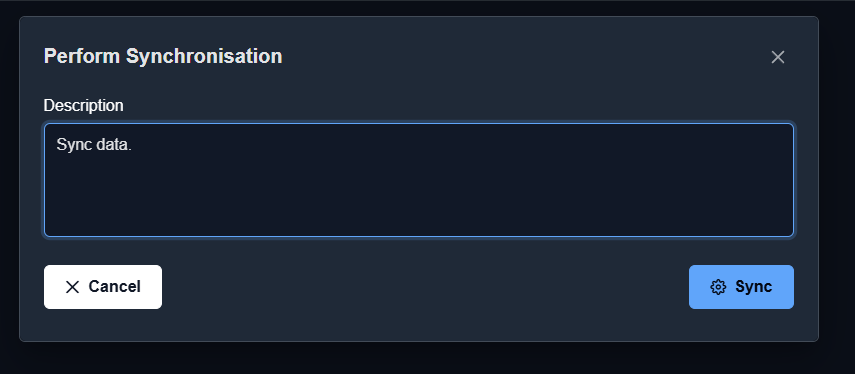
Synchronising via the database only allows for a description to be provided as all nodes are automatically synced.
The process will perform the following steps:
- A snapshot will be created. Prior to each synchronisation of the working set to service nodes a new snapshot is created.
- Next the primary IVR will copy the current working set to the “live” (active) announcement configuration. This copy occurs directly in the database and once the PostgreSQL replication action is complete, the active announcement set will be updated on the service nodes.
File System Synchronisation
The file system synchronisation process is more complex as it utilizes database storage for the configuration announcements while storing individual files on the file system.
When clicking on Synchronise IVR Servers the following dialog is shown:
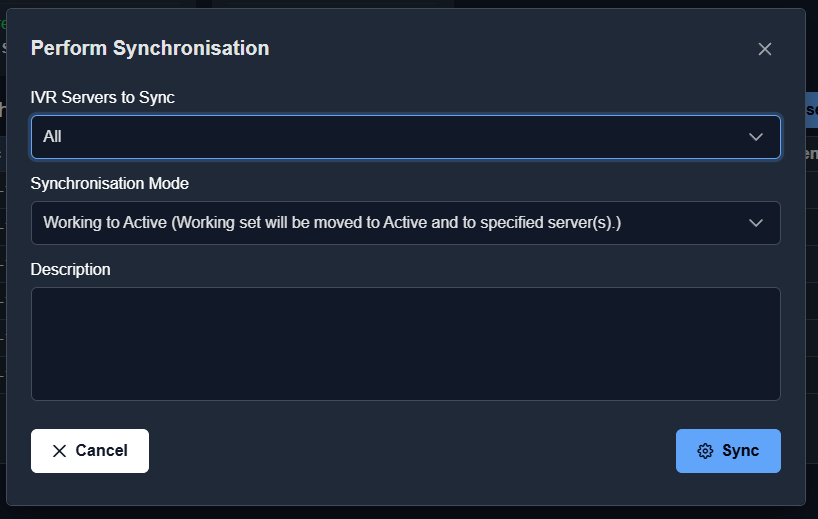
Along side a description for the synchronisation the following properties are also available:
| Function | Default | Description |
|---|---|---|
IVR Servers to Sync |
All |
Whether to synchronise to all IVR servers or to a single named IVR server. |
Synchronisation Mode |
Working to Active |
Whether or not make the current working set the active set before syncing audio files. This may be changed to allow for syncing of the active set only without making the working set active. |
The process with perform the following steps:
- A snapshot will be created. Prior to each synchronisation to service nodes a new snapshot is created.
- Next based on the
Synchronisation Modethe primary IVR may:- Update the working set setting it as the now active set.
- Next based on the
Synchronisation Modethe primary IVR will:- If
IVR Servers to Syncis set toAllall active set files andmapping.jsonwill be sent to all configured IVR servers viarsync. - If
IVR Servers to Syncis set to a singular IVR node all active set files andmapping.jsonwill be sent to the singular IVR node viarsync.
- If
Note: The mapping.json file holds the announcement configuration configured within the GUI for the active set and maps to the announcement files moved during the rsync operation.
The IVR service nodes running n2svcd will automatically identify when either the mapping.json file or database configuration has been updated and will use the new version immediately.
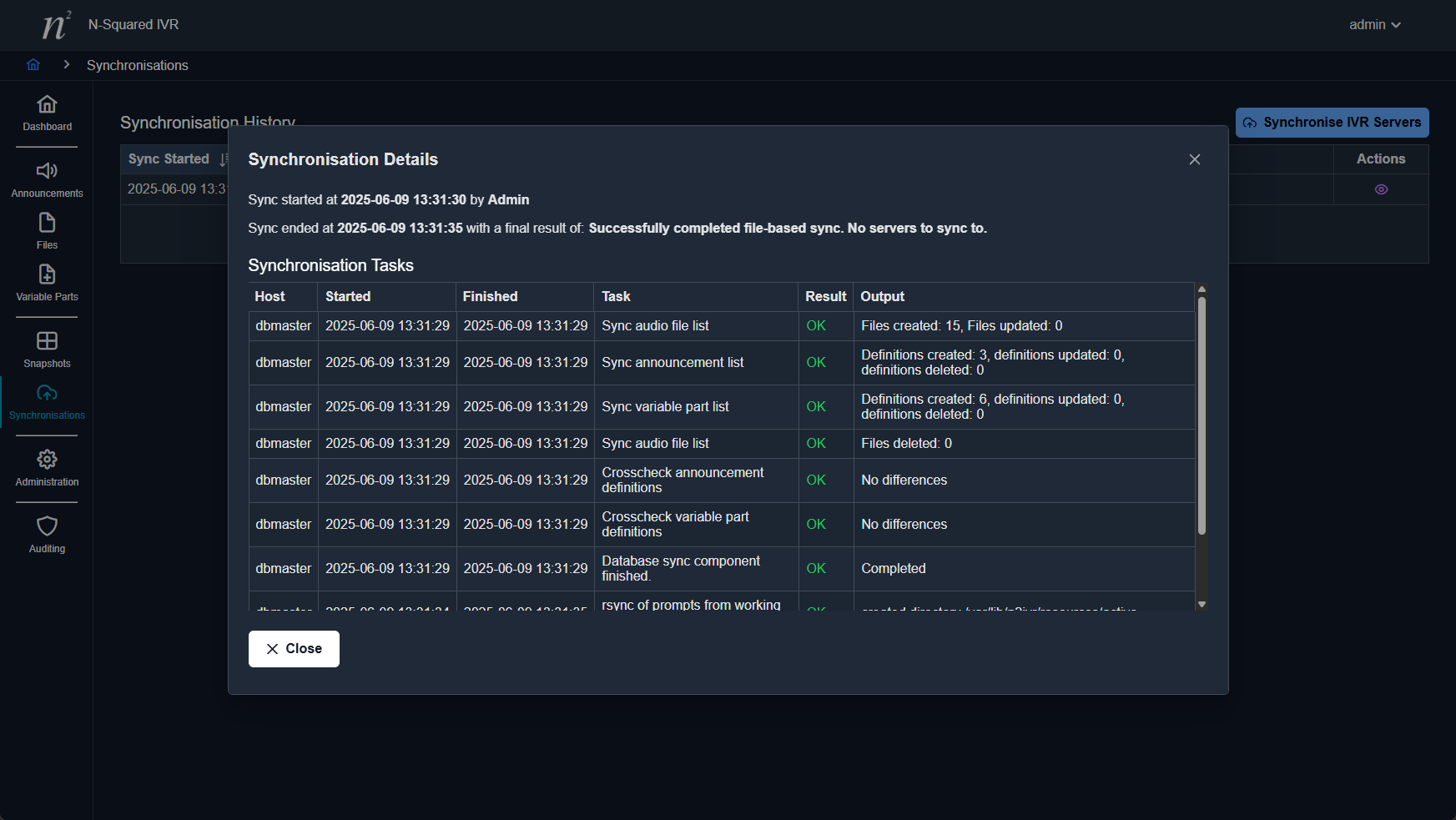
Example File Based Synchronisation Output
Note: Synchronisation is performed in the background and once initiated the dialog can be closed.
Database synchronisations are performed by PostgreSQL processes and are not able to be directly monitored in the GUI. However, file base synchronisations can be, and each update made by the sync process will appear in the GUI in real time.